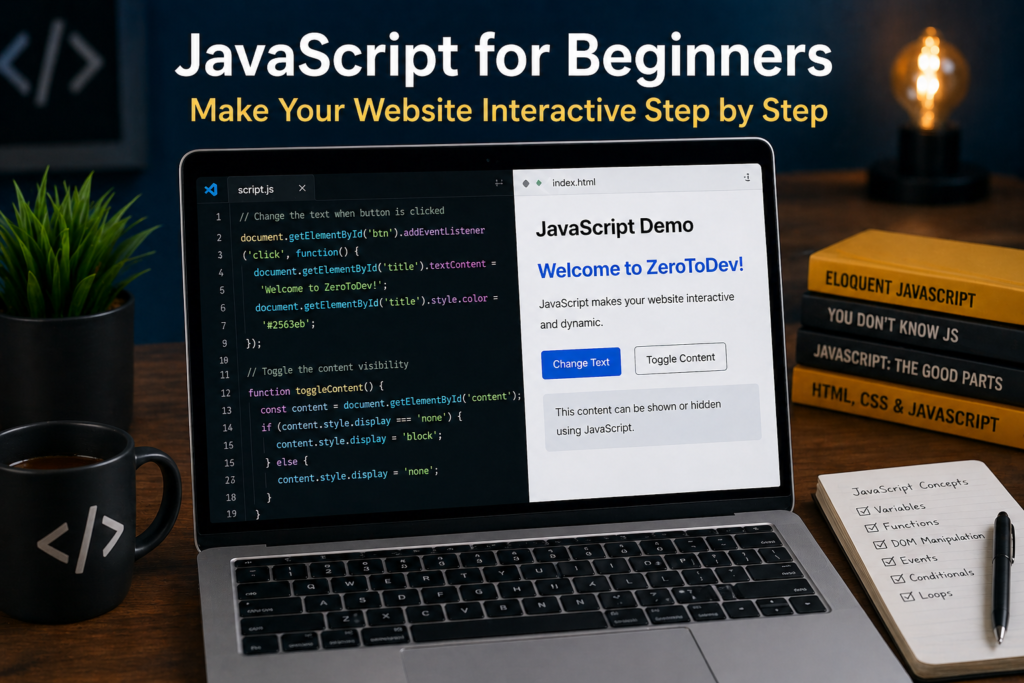

JavaScript for Beginners: Make Your Website Interactive Step by Step
When you first start learning web development, HTML and CSS help you build and design your website. But if you want to make your website truly dynamic and interactive, you need JavaScript.
JavaScript is one of the most powerful and widely used programming languages in the world. It is the technology that brings websites to life—allowing users to interact with buttons, forms, animations, and real-time updates.
In this guide, you will learn what JavaScript is, how it works, and how you can start using it to build interactive web experiences from scratch.
What is JavaScript?
JavaScript is a programming language used to create dynamic and interactive elements on websites. It runs directly in the browser and allows you to control how web pages behave.
While HTML structures your content and CSS styles it, JavaScript adds functionality.
For example, JavaScript can:
- Show or hide elements
- Validate forms
- Respond to user clicks
- Update content without refreshing the page
- Create animations and effects
How JavaScript Works in the Browser
When a user opens a website, the browser loads HTML, CSS, and JavaScript files.
JavaScript interacts with the page using something called the DOM (Document Object Model). The DOM represents the structure of your web page as objects that JavaScript can access and modify.
This means you can change content, styles, and behavior in real time.
Adding JavaScript to Your Website
There are three main ways to use JavaScript:
1. Inline JavaScript
<button onclick="alert('Hello!')">Click Me</button>
2. Internal JavaScript
<script>
    console.log("Hello from JavaScript");
</script>
3. External JavaScript (Best Practice)
<script src="script.js"></script>
Using external files keeps your code clean and organized.
Basic JavaScript Concepts
To start coding in JavaScript, you need to understand these fundamentals:
Variables
Variables store data.
let name = "ZeroToDev";
Data Types
Common data types include:
- String (“text”)
- Number (10, 20)
- Boolean (true/false)
Functions
Functions are reusable blocks of code.
function greet() {
    console.log("Welcome!");
}
greet();
Conditions
Conditions allow decision-making.
if (age > 18) {
    console.log("Adult");
}
Loops
Loops repeat actions.
for (let i = 0; i < 5; i++) {
    console.log(i);
}
Working with the DOM
JavaScript allows you to interact with HTML elements.
Example:
document.querySelector("h1").textContent = "Hello, Developer!";
This changes the text of a heading on your page.
Handling Events
Events are actions performed by users, such as clicks or typing.
Example:
document.querySelector("button").addEventListener("click", function() {
    alert("Button clicked!");
});
This code runs when the user clicks a button.
Building a Simple Interactive Feature
Here is a small example combining HTML and JavaScript:
<!DOCTYPE html>
<html>
<head>
    <title>JavaScript Demo</title>
</head>
<body>

<h1 id="title">Hello</h1>
<button onclick="changeText()">Click Me</button>

<script>
function changeText() {
    document.getElementById("title").textContent = "Welcome to ZeroToDev";
}
</script>

</body>
</html>
This creates a simple interaction where clicking a button changes the text.
Common Beginner Mistakes
- Forgetting to link JavaScript file correctly
- Writing code before the HTML loads
- Not understanding error messages
- Copying code without understanding it
Learning from mistakes is part of the process.
Best Practices
- Keep your code clean and organized
- Use meaningful variable names
- Separate JavaScript into external files
- Practice regularly with small projects
- Use browser developer tools to debug
What Comes After JavaScript?
Once you understand JavaScript basics, you can move to:
- Advanced JavaScript concepts
- Frontend frameworks (like React)
- Backend development with Node.js
JavaScript opens the door to full-stack development.
Why JavaScript is Important
JavaScript is essential because:
- It runs in every browser
- It powers modern web applications
- It is highly in demand
- It allows you to build real-world projects
Without JavaScript, the web would be static and limited.
Conclusion
JavaScript is the key to making your websites interactive and dynamic. It transforms static pages into engaging user experiences.
As a beginner, focus on understanding the basics and practicing consistently. Build small projects, experiment with ideas, and gradually increase your skills.
With time and dedication, JavaScript will become one of your strongest tools as a developer.
Your journey with ZeroToDev continues—one step closer to becoming a real developer.