
Build Real Projects: The Ultimate Guide to Turning Your Coding Skills into Practical Experience
Learning programming is only the first step. The real transformation from beginner to developer happens when you start building real projects.
Many beginners spend weeks or even months watching tutorials and reading documentation, yet still feel unprepared to create something on their own. This is because programming is not just about understanding concepts—it is about applying them.
Projects are where everything comes together. They turn theory into practice, confusion into clarity, and knowledge into real skills.
In this guide, you will learn why building projects is essential, how to approach them effectively, and how to create projects that truly accelerate your growth as a developer.
Why Projects Matter More Than Tutorials
Tutorials are useful, especially when you are just starting out. They help you understand the basics and introduce you to new concepts.
However, relying only on tutorials creates a major problem: passive learning.
You may understand the code while watching a tutorial, but when you try to build something on your own, you realize you don’t know where to start.
Projects solve this problem by forcing you to:
- Think independently
- Solve real problems
- Make decisions
- Debug errors
This is what turns you into a developer.
What Makes a Good Project?
Not all projects are equally valuable. A good project should:
- Solve a real or practical problem
- Challenge your current skill level
- Require you to think, not just copy
- Be small enough to complete but meaningful enough to learn from
Avoid projects that are too easy or too complex. The best projects are slightly outside your comfort zone.
Types of Projects for Beginners
If you are just starting out, here are some great project ideas:
1. Simple Calculator
A basic app that performs arithmetic operations.
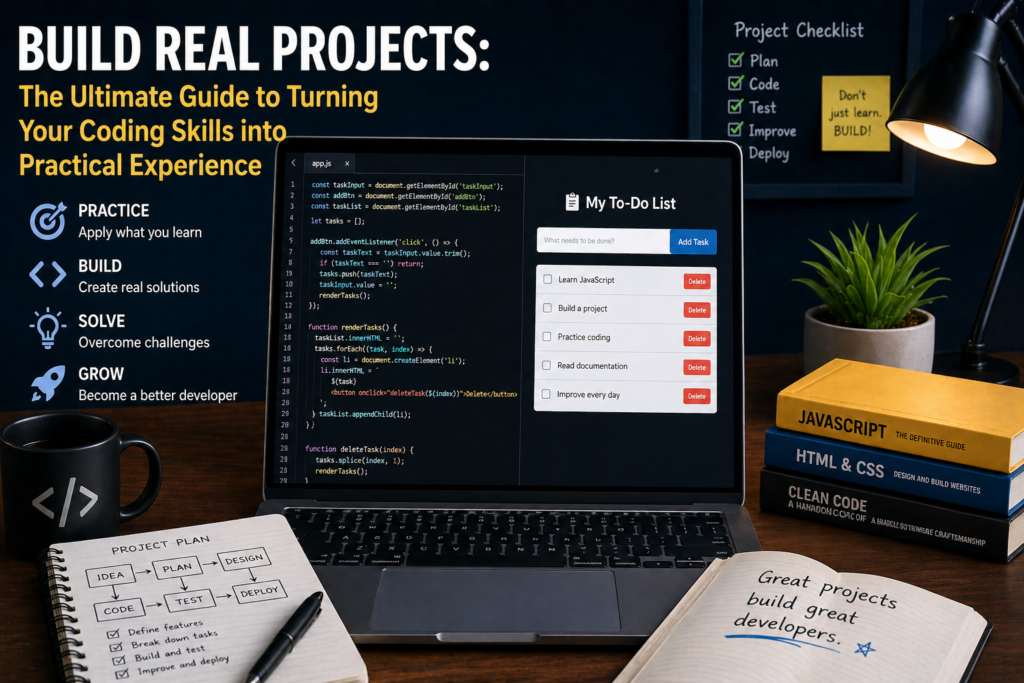
2. To-Do List App
Allows users to add, edit, and delete tasks.
3. Personal Portfolio Website
Showcases your skills and projects.
4. Weather App
Fetches data from an API and displays it.
5. Quiz Application
Tests users with questions and calculates scores.
These projects help you apply core programming concepts.
How to Start Your First Project
Starting is often the hardest part. Follow this process:
1. Define the Idea
Keep it simple. For example: “I want to build a to-do list.”
2. Break It Down
Divide the project into small tasks:
- Add task
- Display task
- Delete task
3. Choose Tools
Pick the technologies you will use (HTML, CSS, JavaScript, etc.).
4. Start Coding
Write basic functionality first, then improve gradually.
The Importance of Problem Solving
While building projects, you will face problems constantly:
- Code not working
- Errors you don’t understand
- Features not behaving as expected
This is normal.
Instead of getting frustrated, focus on solving the problem step by step:
- Read error messages carefully
- Search for solutions
- Test different approaches
Problem-solving is the core skill of every developer.
Debugging: A Critical Skill
Debugging means finding and fixing errors in your code.
Tips for effective debugging:
- Use console logs
- Break your code into smaller parts
- Check assumptions
- Be patient
Every bug you fix makes you a better programmer.
Building a Sample Project (To-Do App)
Let’s look at a simple example:
<input type="text" id="taskInput" placeholder="Enter task">
<button onclick="addTask()">Add</button>
<ul id="taskList"></ul>

<script>
function addTask() {
    let input = document.getElementById("taskInput");
    let task = input.value;

    let li = document.createElement("li");
    li.textContent = task;

    document.getElementById("taskList").appendChild(li);
    input.value = "";
}
</script>
This simple project teaches:
- DOM manipulation
- Event handling
- User input
How to Improve Your Projects
Once your project works, improve it:
- Add better design (CSS)
- Improve user experience
- Add new features
- Optimize performance
- Refactor your code
Improvement is where real growth happens.
Creating a Portfolio
Your projects should not just stay on your computer. You should showcase them.
A portfolio is a collection of your best work. It helps you:
- Demonstrate your skills
- Impress employers or clients
- Track your progress
Include:
- Project description
- Technologies used
- Live demo (if possible)
- Source code
Common Mistakes Beginners Make
- Following tutorials without understanding
- Quitting when things get difficult
- Trying to build perfect projects
- Not finishing what they start
- Avoiding challenges
Remember, imperfect finished projects are better than perfect unfinished ones.
Best Practices for Building Projects
- Start small
- Focus on functionality first
- Keep your code organized
- Use version control (Git)
- Document your work
These habits will make you a professional developer.
How Many Projects Should You Build?
There is no fixed number, but a good starting goal is:
- 3–5 small projects
- 2–3 medium projects
- 1 strong portfolio project
Quality matters more than quantity.
From Projects to Real-World Skills
Projects simulate real-world development.
They teach you:
- Planning
- Execution
- Debugging
- Problem-solving
- Continuous improvement
These are the exact skills companies look for.
Staying Motivated
Building projects can feel challenging, especially when you get stuck.
To stay motivated:
- Celebrate small wins
- Track your progress
- Take breaks when needed
- Remember your goal
Consistency is more important than perfection.
What Comes Next?
After building beginner projects, you can move to:
- Full-stack applications
- Working with APIs
- Team collaboration
- Advanced frameworks
Each project takes you closer to becoming a professional developer.
Conclusion
Projects are the bridge between learning and doing. They transform knowledge into real skills and prepare you for real-world development.
If you truly want to become a developer, don’t just learn—build.
Start small, stay consistent, and keep challenging yourself. Every project you complete is a step forward in your journey.
ZeroToDev is here to guide you—but your growth depends on what you build.