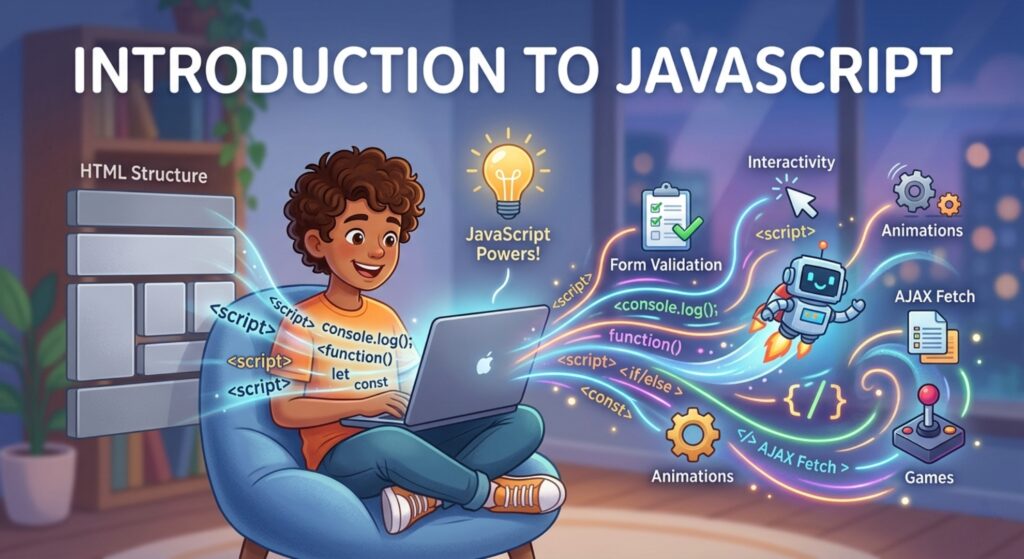

Master the language of the web! This deep-dive Introduction to JavaScript covers everything from variables to building your first interactive project.
Introduction to JavaScript: How to Bring Your Webpages to Life
Imagine you’ve just built a beautiful house. You’ve got the sturdy wooden frame (HTML) and the stunning interior design with perfect paint colors (CSS). But right now, it’s just a silent, static structure. What happens when you press the doorbell? Nothing. What happens when you flip a light switch? Darkness.
To make that house actually live, you need electricity, plumbing, and automation. In the world of web development, that “electricity” is JavaScript.
If you are looking for a comprehensive Introduction to JavaScript, you are standing at the threshold of one of the most exciting skills in the modern world. JavaScript is the magic wand that turns a static document into a living, breathing application. In this guide, we will explore why it is the most popular language on earth, how its logic works, and how you can write your first script today.
1. What is JavaScript? The Engine of the Modern Web
JavaScript (JS) is a high-level, interpreted programming language that allows you to implement complex features on webpages. While HTML and CSS provide structure and style, JavaScript provides interactivity.
It was originally created in just 10 days back in 1995 by Brendan Eich. Back then, it was meant for tiny things like making a button change color. Today? It powers everything from the Facebook feed to high-end 3D games and even space-exploration software.
The “Three Musketeers” of the Web
To understand JavaScript’s role, you must see how it interacts with its partners:
- HTML: Defines the content (The Nouns).
- CSS: Defines the appearance (The Adjectives).
- JavaScript: Defines the behavior (The Verbs).
When a browser loads a webpage, it reads the HTML and CSS to draw the picture. Then, the JavaScript engine (like Chrome’s V8 engine) kicks in to handle things like animations, form validations, and data updates without refreshing the page.
2. Why is JavaScript Important?
Why should you spend your valuable time learning JavaScript instead of another language? The reasons are overwhelming:
- It is Everywhere: JavaScript is the only language that runs natively in every modern web browser. You don’t need to install anything special to start coding.
- Full-Stack Capability: Thanks to Node.js, you can now use JavaScript on the server-side too. One language to rule them all—from the user’s screen to the database.
- Massive Job Market: From startups to tech giants like Google and Netflix, the demand for JavaScript developers is consistently at the top of the charts.
- Incredible Ecosystem: With libraries like React, Vue, and Angular, you have access to thousands of pre-written tools that make building complex apps much faster.
3. Core Concepts Explained: The Logic of JS
In this Introduction to JavaScript, we need to get our hands dirty with the fundamental building blocks. These are the “words” you will use to build your digital sentences.
A. Variables: Storing Information
A variable is a container for a value. In modern JavaScript, we primarily use let and const.
- let: Use this for values that might change (like a user’s score).
- const: Use this for values that stay the same (like your birthday).
let userScore = 10;
const playerName = "Alex";
B. Data Types: The Kinds of Information
JavaScript needs to know what kind of data it’s handling:
- String: Text inside quotes (“Hello”).
- Number: Digits without quotes (42).
- Boolean: Logic values (true or false).
- Array: A list of items ([‘Apple’, ‘Banana’]).
- Object: A collection of related data ({age: 25, city: ‘Cairo’}).
C. Functions: The Reusable Machines
A function is a block of code designed to perform a specific task. You define it once and “call” it whenever you need it.
function greetUser(name) {
    return "Hello, " + name + "!";
}

console.log(greetUser("Sarah")); // Output: Hello, Sarah!
D. Conditionals: Making Decisions
Conditionals allow your code to choose different paths based on certain criteria.
let time = 20;

if (time < 12) {
    console.log("Good morning!");
} else {
    console.log("Good evening!");
}
4. Practical Examples: Interacting with the Page
The real power of JavaScript comes when it talks to the HTML. This is called DOM Manipulation (Document Object Model).
Imagine you have a button in your HTML:
Click Me!
You can use JavaScript to listen for that click:
const button = document.getElementById('myBtn');

button.addEventListener('click', function() {
    alert('You clicked the magic button!');
});
5. Common Mistakes to Avoid
Even seasoned developers trip over these “gotchas” in JavaScript:
- Confusing = and ===: Use = to assign a value. Use === to check if two things are equal.
- Scope Issues: Understanding where a variable “lives” (inside or outside a function) is crucial. let and const help fix many old bugs related to this.
- Missing Semicolons: While JS often guesses where they should go, it’s a best practice to end your statements with a ; to avoid weird errors.
- Asynchronous Confusion: JavaScript doesn’t always wait for a task to finish (like fetching data) before moving to the next line. This can be confusing for beginners!
6. Pro Tips & Best Practices
💡 Pro Tip: Always use const by default. Only change it to let if you know the value needs to be reassigned. This makes your code more predictable and less prone to bugs.
- Use Meaningful Names: Instead of let x = 10;, use let maxLoginAttempts = 10;. Future-you will thank you.
- Keep Functions Small: A function should do one thing and do it well.
- Read the Console: If your code isn’t working, Right-click -> Inspect -> Console. The browser is usually trying to tell you exactly what’s wrong.
- Stay Updated: JavaScript evolves every year (the ECMAScript standards). Follow blogs like MDN Web Docs to stay current.
7. Real-World Use Cases
Where will you see the results of your JavaScript learning?
- Dynamic Loading: When you scroll down Twitter or Facebook and new posts appear without the page reloading—that’s JavaScript (AJAX/Fetch).
- Interactive Maps: Zooming and dragging on Google Maps is handled by complex JS logic.
- Smart Forms: When a website tells you your password is too weak before you hit submit—that’s JavaScript.
- Browser Games: From simple puzzles to 3D environments using WebGL.
8. Mini Project: The “Theme Toggler”
Let’s build something useful. We will create a button that switches a page from “Light Mode” to “Dark Mode.”
The HTML:
<body id="mainBody">
    <h1>Welcome to the Dark Side</h1>
    <button id="toggleBtn">Change Theme</button>
</body>
The JavaScript:
const btn = document.getElementById('toggleBtn');
const body = document.getElementById('mainBody');

btn.addEventListener('click', () => {
    // Check current color and flip it
    if (body.style.backgroundColor === 'black') {
        body.style.backgroundColor = 'white';
        body.style.color = 'black';
    } else {
        body.style.backgroundColor = 'black';
        body.style.color = 'white';
    }
});
9. FAQs (Frequently Asked Questions)
Q1: Is JavaScript the same as Java?
No! This is the most common confusion in tech. It’s like the difference between “Car” and “Carpet.” They share a few letters but are completely different languages used for different purposes.
Q2: Do I need to learn HTML/CSS before JavaScript?
Yes. It is highly recommended. It’s very difficult to make sense of JavaScript interactivity if you don’t know what you are interacting with.
Q3: How long does it take to learn JavaScript?
You can learn the syntax in a month. However, mastering the “logic” and the libraries (like React) usually takes 6 to 12 months of consistent practice.
Q4: Is JavaScript a “real” programming language?
Absolutely. While it started as a simple scripting tool, it is now a robust, powerful language used for high-scale enterprise applications.
Q5: Where should I practice?
Your browser is your playground! You can also use online editors like CodePen, StackBlitz, or install VS Code on your computer.
10. Conclusion: Your Adventure Begins
We’ve covered a lot in this Introduction to JavaScript. We’ve seen that JS is the brain of the webpage—the logic that handles clicks, fetches data, and creates an engaging experience for users.
Learning JavaScript is more than just learning a language; it’s learning how to solve problems and build tools that can reach millions of people. It might feel overwhelming today, but remember: every expert developer once struggled with their first if statement.
The key to mastering JavaScript isn’t reading about it—it’s doing it.
Start practicing now! Open your browser’s console right now (F12 or Cmd+Option+J) and type alert(“I am a developer!”);. Congratulations, you’ve just executed your first piece of code!
Check our next guide: [Mastering JavaScript Loops and Arrays]