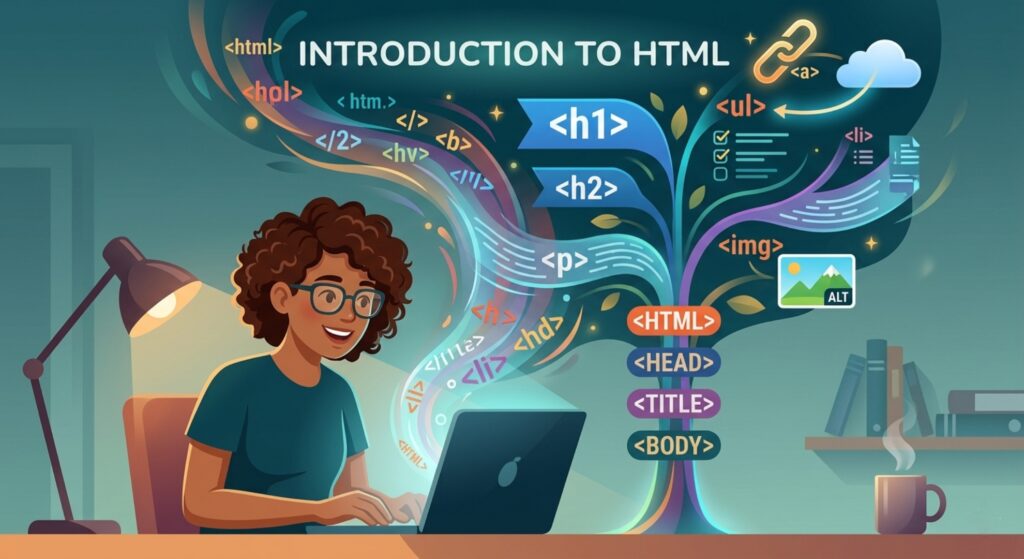

Start your web development journey here! This Introduction to HTML covers everything from basic tags to building your first webpage. Perfect for beginners.
Introduction to HTML: Your First Step into the World of Web Development
Have you ever looked at a beautifully designed website and wondered, “How did they build this?” You might see colorful buttons, organized text, and stunning images, but underneath all that visual flair lies a skeleton. That skeleton is HTML.
If you are just starting your journey into tech, an Introduction to HTML is the absolute first milestone you need to cross. It is the fundamental building block of the internet. Whether you want to become a high-paid software engineer, a freelance web designer, or just want to customize your own blog, understanding HTML is your ticket to the show. In this guide, we will break down exactly what HTML is, why it matters, and how you can start writing it today.
1. What is HTML? The Backbone of the Web
HTML stands for HyperText Markup Language. Let’s break that mouthful down into something a bit more digestible:
- HyperText: This refers to text that contains links to other texts. It’s the “web” part of the World Wide Web—the ability to jump from one page to another.
- Markup Language: This is the key part. A markup language doesn’t “think” like a programming language (it doesn’t have logic or math). Instead, it “marks up” plain text with tags to tell the browser what that text is.
The House Analogy
Imagine you are building a house.
- HTML is the structure—the wooden frame, the walls, and the placement of the doors and windows.
- CSS is the interior design—the paint on the walls, the type of flooring, and the curtains.
- JavaScript is the electricity and plumbing—the doorbell that rings when pressed or the lights that turn on automatically.
Without HTML, you have no house. You just have a pile of floating paint and light bulbs.
2. Why is HTML Important?
You might hear people talking about “No-Code” tools or AI that writes websites for you. So, is a manual Introduction to HTML still relevant? Absolutely.
- Fundamental Literacy: Every website on the planet uses HTML. Even if you use a builder like Wix or WordPress, knowing HTML allows you to fix things when they break.
- SEO (Search Engine Optimization): Google’s “spiders” read your HTML to understand what your site is about. If your HTML is messy, your site won’t rank.
- Accessibility: Proper HTML ensures that people with visual impairments can use screen readers to navigate your content.
- Career Foundations: You cannot learn CSS, JavaScript, or React effectively without a rock-solid understanding of HTML. It is the “Level 1” of the developer’s quest.
3. Core Concepts Explained: Tags, Elements, and Attributes
To understand HTML, you only need to master three main concepts. Once these click, the rest is just memorizing names.
A. The HTML Tag
HTML uses Tags to label content. Tags are enclosed in angle brackets < >. Most tags come in pairs: an opening tag and a closing tag (which has a forward slash).
<p>This is a paragraph.</p>B. The HTML Element
An Element is the whole package: the opening tag, the content inside, and the closing tag.
C. Attributes
Attributes provide extra information about an element. They always go inside the opening tag and usually look like name=”value”.
Example: Click me
Here, is the tag for a link, and href is an attribute that tells the link where to go.4. The Standard Document Structure
Every HTML file follows a specific “skeleton.” If you don’t include these parts, the browser might get confused.
<!DOCTYPE html>
<html>
<head>
    <title>My First Webpage</title>
</head>
<body>
    <h1>Welcome to My Site</h1>
    <p>This is where the magic happens.</p>
</body>
</html>- : Tells the browser “Hey, I’m using the latest version of HTML!”
- : The container for everything.
- : Contains “invisible” info, like the title of the tab and links to styles.
- : Everything you actually see on the screen goes here.
5. Practical Examples: Common HTML Tags
Let’s look at the tags you will use 90% of the time.
Headings
There are six levels of headings, from
(most important) to
(least important). <h1>Main Title</h1> <h2>Subheading</h2>
Lists
You can make ordered (numbered) lists or unordered (bulleted) lists.
<ul>
  <li>Apples</li>
  <li>Bananas</li>
</ul>
Images
Images are “self-closing” tags, meaning they don’t need a tag.
<img src="logo.png" alt="Company Logo">💡 Pro Tip: Always include the alt attribute for images. It describes the image for people who can’t see it and helps Google understand your content!
6. Common Mistakes to Avoid
Even pros make these mistakes occasionally, but as a beginner, avoiding them will put you ahead of the curve:
- Forgetting to Close Tags: Leaving a or open can ruin your entire layout.
- Using the Wrong Tags for Styling: Don’t use just because you want big text. Use it because it’s a “heading.” Use CSS for the size.
- Case Sensitivity: While HTML isn’t case-sensitive (you can write ), the industry standard is to always use lowercase .
- Nesting Errors: Make sure you close tags in the reverse order you opened them.
- Correct: Text
- Wrong: Text
7. Pro Tips & Best Practices
- Indentation is Your Friend: Use spaces or tabs to indent your code. It doesn’t change how the page looks, but it makes the code readable for humans.
- Use Semantic HTML: Instead of using for everything, use tags like , , and . This makes your site “smarter.”
- Validate Your Code: Use the W3C Markup Validation Service to check for errors.
- Keep it Simple: Don’t over-nest your elements. If your code looks like a giant staircase, it might be too complex.
8. Real-World Use Cases
HTML isn’t just for “websites.” It’s everywhere:
- Email Marketing: Those pretty newsletters you get in your inbox? Those are built with HTML.
- Mobile Apps: Frameworks like Ionic or React Native often use HTML-like structures to build mobile interfaces.
- Documentation: Technical manuals and help files are almost always HTML-based.
- Web Scraping: Data scientists use their knowledge of HTML to “scrape” data from the web for analysis.
9. Mini Project: Build Your Personal Bio Page
Let’s put this Introduction to HTML into practice. Copy this code into a text editor (like Notepad or VS Code), save it as index.html, and open it in your browser.
<!DOCTYPE html>
<html lang="en">
<head>
    <meta charset="UTF-8">
    <title>My Bio Page</title>
</head>
<body>
    <header>
        <h1>John Doe</h1>
        <p>Aspiring Web Developer & Coffee Lover</p>
    </header>

    <section>
        <h2>About Me</h2>
        <p>I am learning <strong>HTML</strong> to build a better future.</p>
    </section>

    <section>
        <h2>My Hobbies</h2>
        <ul>
            <li>Coding</li>
            <li>Hiking</li>
            <li>Reading Sci-Fi</li>
        </ul>
    </section>

    <footer>
        <p>Contact me at: <a href="mailto:john@example.com">john@example.com</a></p>
    </footer>
</body>
</html>
10. FAQs (Frequently Asked Questions)
Q1: Is HTML a programming language?
Technically, no. It is a markup language. It doesn’t have logic like “if this, then that.” However, it is the foundation upon which all web programming is built.
Q2: How long does it take to learn HTML?
You can learn the basics in a few hours. To become truly comfortable and understand semantic structure, it usually takes about 1-2 weeks of practice.
Q3: What software do I need to write HTML?
You don’t need anything fancy! You can use a simple text editor. However, most developers use Visual Studio Code (VS Code) because it highlights errors and finishes your tags for you.
Q4: Do I need to learn HTML5 specifically?
Yes, but don’t worry—HTML5 is just the current version of HTML. When you learn HTML today, you are automatically learning HTML5.
Q5: Can I build a website with only HTML?
Yes, but it will look like a document from 1995. To make it look modern and pretty, you will need to add CSS.
11. Conclusion: The Foundation of Your Future
We’ve traveled from the definition of HTML to building a small bio page. This Introduction to HTML is just the beginning of a much larger adventure. By mastering these tags and structures, you have gained the ability to communicate with every web browser on earth.
Remember, the web is built one tag at a time. Don’t worry about memorizing every single element today. Just keep building, keep breaking things, and keep learning.
Start practicing now! Take the mini-project code above and try to add a link to your favorite YouTube video or an image of your pet.
Check our next guide: [CSS Basics: Making Your HTML Look Beautiful]