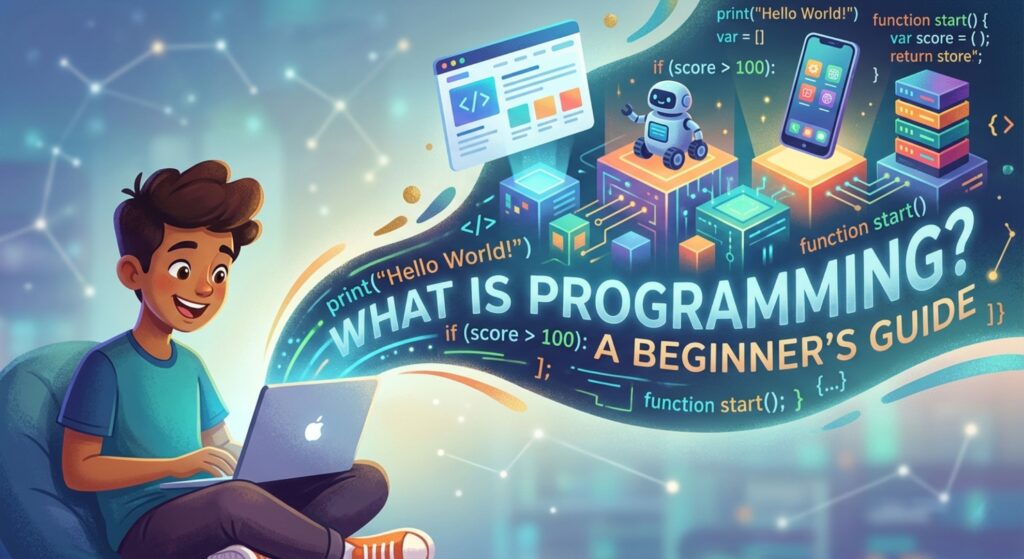

Discover the ultimate beginner guide on what is programming. Learn core concepts, real-world examples, and how to start your coding journey today!
What is Programming? The Ultimate Beginner Guide to Mastering the Digital Language
Have you ever looked at your smartphone and wondered how it knows exactly what to do when you swipe left? Or how a self-driving car navigates a busy intersection without human intervention? At the heart of every piece of technology we use today is a silent, powerful force.
If you’ve ever asked yourself, “What is programming?” you are in the right place. This beginner guide will strip away the jargon and reveal the logic, creativity, and incredible potential behind the world of code. Whether you want to build the next viral app, automate your boring office tasks, or simply understand the digital world better, this guide is your roadmap.
1. What is Programming? Defining the Digital Architect
In its simplest form, programming is the process of giving instructions to a computer to perform specific tasks. Think of it as writing a highly detailed recipe for someone who follows directions literally.
A computer is incredibly fast, but it isn’t “smart” in the human sense. It cannot guess what you want; it needs a set of precise, logical steps to follow. When we program, we use a programming language—a bridge between human thought and machine action—to communicate our goals.
The Translator Metaphor
Imagine you are in a kitchen with a robot. If you tell the robot to “make a peanut butter sandwich,” it might just stare at you. To get results, you have to break it down:
- Pick up the loaf of bread.
- Remove two slices.
- Open the jar of peanut butter.
- Use a knife to spread the peanut butter on one slice.
Programming is that breakdown. It is the art of translating a big idea into tiny, logical steps that a processor can execute.
2. Why is Programming Important?
In the modern era, code is the “new literacy.” It isn’t just for software engineers in Silicon Valley anymore. Here is why understanding programming is a superpower:
- Problem Solving: Coding teaches you how to break massive problems into manageable chunks. This logical framework applies to business, science, and even daily life.
- Career Versatility: From data science and web development to cybersecurity and AI, programming opens doors to the highest-paying jobs in the world.
- Automation: Tired of copying and pasting data between spreadsheets? A simple script can do in seconds what would take a human ten hours.
- Creative Expression: Programming is a form of digital art. You can build games, interactive websites, or generative art from nothing but a blinking cursor.
3. Core Concepts Explained: The Building Blocks of Code
Before you write your first line of code, you need to understand the fundamental concepts that exist in almost every programming language, from Python and JavaScript to C++ and Java.
A. Variables (The Containers)
A variable is like a labeled box where you store information. You give the box a name and put a value inside it so you can use it later.
Example: In a game, you might have a variable named player_score. At the start, the value is 0. Every time the player hits a target, you update the value in that box.
B. Data Types
Computers handle different types of information differently. Common types include:
- Integers: Whole numbers (e.g., 5, -10, 100).
- Strings: Text or characters (e.g., “Hello World”).
- Booleans: True or False values (the logic of the computer).
C. Control Structures (The Decision Makers)
This is where the magic happens. Control structures tell the program which path to take.
- If/Else Statements: “If the user enters the right password, let them in; else, show an error.”
- Loops: “Repeat this action 10 times” or “Keep checking for updates until I tell you to stop.”
D. Functions (The Reusable Tools)
A function is a block of code designed to perform a particular task. Instead of writing the same 10 lines of code every time you want to calculate a discount, you write a function called calculateDiscount() and call it whenever you need it.
4. Practical Examples: Seeing Code in Action
Let’s look at how these concepts look in Python, which is widely considered the best language for beginners due to its “human-like” readability.
The “Hello World” Program
The traditional start for every programmer is making the computer say hello.
print("Hello, aspiring programmer!")A Simple Decision Program
Let’s create a small script that checks if someone is old enough to vote.
age = 18

if age >= 18:
    print("You are eligible to vote!")
else:
    print("You are too young to vote.")
In this example, age is our variable, >= is a comparison operator, and the if/else block is our logic.
5. Common Mistakes to Avoid as a Beginner
Everyone makes mistakes when they start. The key is to see them as “debugging” opportunities rather than failures.
- Syntax Errors: Forgetting a colon, a bracket, or a quotation mark. Computers are picky; a single missing comma can break the whole program.
- Over-complicating: Don’t try to build the next Facebook on Day 1. Start with “print ‘Hello World'” and build up.
- Tutorial Hell: This is when you watch 50 hours of videos but never actually type any code yourself. You only learn by doing!
- Not Commenting: Write notes in your code (using # in Python) to explain what you were thinking. Your “future self” will thank you when you look at the code a month later.
6. Pro Tips & Best Practices for New Coders
💡 Pro Tip: Focus on logic, not just syntax. Syntax (where the commas go) can be Googled. Logic (how to solve the problem) is the real skill.
- Read Other People’s Code: Use sites like GitHub to see how experienced developers structure their projects.
- Master the Search Engine: Professional developers spend 50% of their time on Google and Stack Overflow. Knowing how to ask the right question is a vital skill.
- Consistency over Intensity: Coding for 30 minutes every day is much better than coding for 10 hours once a week.
- Don’t Memorize Everything: You don’t need to memorize every command. You just need to know that they exist and how to find them.
7. Real-World Use Cases: Where is Programming Used?
[Image showing various fields of programming: Web Development, Mobile Apps, AI, and Robotics]
Web Development
Everything you see on the internet is built using code. HTML and CSS handle the structure and look, while JavaScript and Python handle the functionality.
Data Science and AI
Companies use programming to analyze massive amounts of data to predict trends. Artificial Intelligence, like the one powering this article, relies on complex algorithms written in languages like Python and R.
Internet of Things (IoT)
Your “smart” fridge, thermostat, and lightbulbs are all running embedded code that allows them to connect to the internet and respond to your commands.
8. Mini Project: Build a “Guess My Number” Game Logic
Let’s think through the logic of a simple game. This is how a programmer thinks before they even touch the keyboard:
- Generate a random number between 1 and 10.
- Ask the user to input their guess.
- Compare the guess to the random number.
- If the guess is correct, say “You Win!”
- If the guess is too high, say “Too high, try again!”
- If the guess is too low, say “Too low, try again!”
- Repeat until they get it right.
Exercise for you: Try to write this out in “Pseudo-code” (plain English that looks like code) in your notebook!
9. Frequently Asked Questions (FAQs)
Q1: Is programming hard?
It has a learning curve, but it isn’t “hard” in the way people think. It’s more like learning a musical instrument or a new language. It requires practice and patience, but anyone can learn the basics.
Q2: Do I need to be a math genius to code?
Absolutely not. Unless you are building rocket trajectories or complex physics engines, basic algebra is usually enough. Programming is more about logic and pattern recognition than advanced calculus.
Q3: Which language should I learn first?
For most beginners, Python is the gold standard because it reads like English. If you want to build websites, start with HTML/CSS and JavaScript.
Q4: How long does it take to learn programming?
You can learn the basics in a few weeks. To become “job-ready,” most people require 6 to 12 months of consistent study and project building.
Q5: Can I learn programming for free?
Yes! There are incredible free resources like freeCodeCamp, Harvard’s CS50 on edX, and YouTube. You don’t need an expensive degree to get started.
10. Conclusion: Your Coding Journey Starts Now
We’ve covered the “what,” the “why,” and the “how” of programming. We’ve seen that programming isn’t just about typing cryptic symbols into a dark screen; it’s about problem-solving, creativity, and building the future.
The digital world is expanding every second, and there has never been a better time to learn how to speak the language of machines. Remember, every expert was once a beginner who felt overwhelmed. The difference is they didn’t stop at “Hello World.”
Are you ready to build something amazing?
Start practicing now! Pick one language (we recommend Python), find a 10-minute tutorial, and write your first line of code today. The only way to truly understand what programming is… is to do it.