
What is Problem Solving in Programming? The Secret Weapon of Every Great Developer
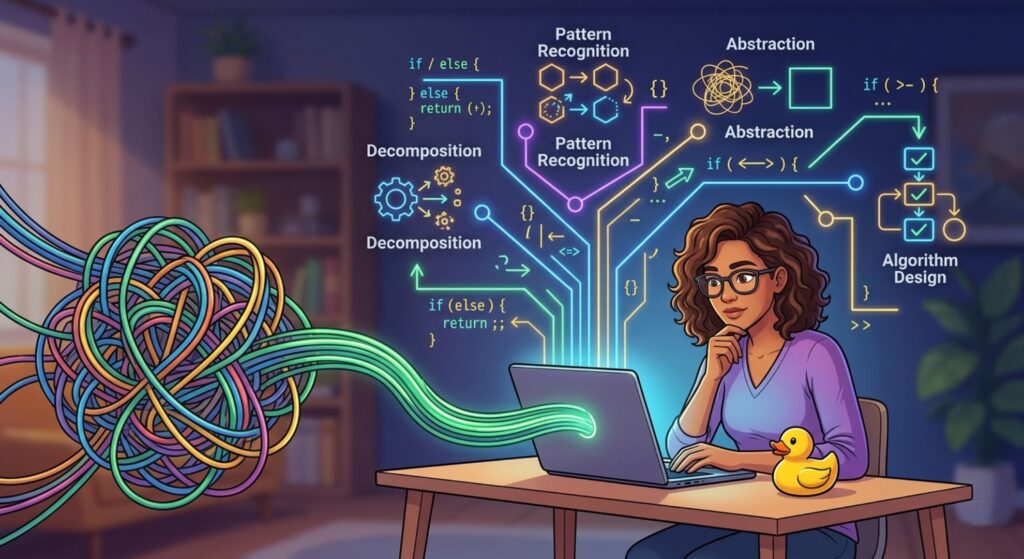
Imagine you are standing in front of a giant, tangled knot of colorful yarn. Your goal is to unravel it completely and wind it into a neat, usable ball. You could tug randomly at the strings, but that usually makes the knot tighter. Instead, you look for the loose ends, follow the loops, and slowly, systematically, resolve the mess.
This is exactly how coding works. Many beginners think coding is about memorizing syntax like print() or for loops. However, if syntax is the “hammer,” then the ability to look at a mess and decide how to fix it is the “carpentry.” In this guide, we are diving deep into what is problem solving in programming, why it’s more important than the language you use, and how you can sharpen this skill to transition from a “coder” to a true “developer.”
1. What is Problem Solving in Programming? (The Definition)
At its core, problem solving in programming is the mental process of identifying a challenge, breaking it down into logical steps, and creating a set of instructions for a computer to execute. It is the bridge between a human idea and a functional machine.
It is not just about “fixing bugs.” It is about Computational Thinking. This involves taking a vague requirement—like “I want an app that tracks my water intake”—and translating it into a series of mathematical and logical operations.
The Simple Formula:
Problem Solving = Understanding the Goal + Breaking it Down + Logical Sequencing + Implementation.When you ask, “What is problem solving in programming?” you are really asking about the architecture of thought. It’s the strategy you use before your fingers even touch the keyboard.
2. Why is Problem Solving the Most Important Skill?
You can learn the syntax of Python in a weekend, but the ability to solve problems can take a lifetime to master. Here is why it is the “crown jewel” of tech skills:
- Language Agnostic: If you are a great problem solver, you can switch from Java to Go to Swift with ease. The logic remains the same; only the punctuation changes.
- Efficiency: A poor problem solver writes 100 lines of messy code to solve a task. An expert writes 10 lines of elegant code that runs twice as fast.
- Resilience: Tech changes every year. Frameworks die. But the need for people who can solve complex business problems never goes away.
- Career Growth: Senior developers aren’t paid more because they type faster; they are paid more because they can solve bigger, scarier problems for the company.
3. The 4 Pillars of Problem Solving (Core Concepts)
To truly master what is problem solving in programming, you need to understand the four pillars of computational thinking.
A. Decomposition
This is the art of breaking a “scary” big problem into tiny, “unscary” sub-problems.
- Example: If you’re building a login system, don’t think “Login System.” Think: 1. Create a text box. 2. Save the password. 3. Compare it to the database. 4. Show a success message.
B. Pattern Recognition
Computers love patterns. Have you solved a similar problem before? If you’ve built a search bar for a grocery list, you can probably use the same logic to build a search bar for a contact list.
C. Abstraction
This means ignoring the “fluff” and focusing on what matters. If you are calculating the distance between two cars, you don’t need to know the color of the cars or the name of the drivers. You only need their coordinates and speed.
D. Algorithm Design
This is the final step: creating a step-by-step “recipe” to solve the problem. In programming, an algorithm is simply a sequence of instructions.
4. The Step-by-Step Problem Solving Framework
Most beginners fail because they start coding too early. Follow this “Human-Expert” framework instead:
Step 1: Understand the Problem (Truly)
If you can’t explain the problem to a 5-year-old, you don’t understand it. Write it down in plain English. What are the inputs? What is the expected output?
Step 2: The “Paper and Pencil” Phase
Step away from the screen. Draw a flowchart. Write “Pseudo-code” (English-like code).
- If I do X, then Y happens. If Z is true, go back to step 2.
Step 3: Solve it Manually
Before you tell a computer how to do it, do it yourself. If you’re sorting a list of numbers, how would you do it with a deck of cards in your hands? This reveals the logic you need to translate into code.
Step 4: The Divide and Conquer Approach
Solve one small piece. Test it. Does it work? Great, move to the next piece. Never try to solve the whole thing at once.
5. Practical Example: The “FizzBuzz” Challenge
One of the most famous examples to illustrate what is problem solving in programming is the FizzBuzz test.
The Problem: Write a program that prints numbers from 1 to 15. If a number is divisible by 3, print “Fizz”. If it’s divisible by 5, print “Buzz”. If it’s divisible by both, print “FizzBuzz”.
The Thinking Process:
- I need a loop to go from 1 to 15.
- I need to check for the “Both” condition first (3 and 5), because it’s the most specific.
- I use “If/Else” logic.
The Code (Python):
for i in range(1, 16):
    if i % 3 == 0 and i % 5 == 0:
        print("FizzBuzz")
    elif i % 3 == 0:
        print("Fizz")
    elif i % 5 == 0:
        print("Buzz")
    else:
        print(i)
💡 Pro Tip: Always check for the most restrictive condition first. If we checked for “divisible by 3” first, the number 15 would print “Fizz” and never reach the “FizzBuzz” check!
6. Common Mistakes to Avoid
- Coding Without a Plan: This leads to “Spaghetti Code”—a mess that no one (including you) can understand.
- Giving Up Too Early: Programming is 90% frustration and 10% “Aha!” moments. The frustration is where the learning happens.
- The “Copy-Paste” Trap: Using code from Stack Overflow without understanding how it solves the problem. This makes you a “code-monkey,” not a problem solver.
- Ignoring Edge Cases: What happens if the user enters a letter instead of a number? A good problem solver anticipates mistakes.
7. Pro Tips for Sharpening Your Logic
- Rubber Duck Debugging: Explain your code out loud to a literal rubber duck (or a friend). By forcing your brain to translate code into speech, you often spot the logic error yourself.
- Play Logic Games: Chess, Sudoku, and even strategy video games help train your brain to think several steps ahead.
- Practice on Platforms: Use sites like LeetCode, HackerRank, or Codewars. Start with “Easy” and don’t feel bad about looking at the solutions after you’ve tried for an hour.
- Read Documentation: Instead of watching a 2-minute video, try reading the official documentation. it builds deep understanding.
8. Real-World Use Cases
How does what is problem solving in programming look in the real world?
- Navigation Apps: Google Maps uses an algorithm (Dijkstra’s) to solve the “shortest path” problem between your house and a coffee shop.
- E-commerce: Amazon solves the problem of “What else would this person like?” by using pattern recognition on millions of previous purchases.
- Cybersecurity: Security experts solve the problem of “How could a hacker get in?” by thinking like the attacker and closing logical loopholes.
9. Mini Project: The “Simple Calculator” Logic
Let’s apply everything we’ve learned. We want to build a calculator that adds, subtracts, multiplies, or divides two numbers.
Decomposition:
- Get input for Number 1.
- Get input for the Operator (+, -, *, /).
- Get input for Number 2.
- Create logic to handle each operator.
- Edge Case: What if the user tries to divide by 0? (The computer will crash, so we must solve for this!)
Pseudo-code:
- GET num1, num2, op
- IF op is “+” THEN result = num1 + num2
- ELSE IF op is “/” THEN
- IF num2 is 0 THEN print “Error!”
- ELSE result = num1 / num2
- DISPLAY result
10. FAQs (Frequently Asked Questions)
Q1: Is problem solving the same as math?
Not exactly. While they both use logic, math is often about formulas, while programming is about processes. You don’t need to be a math expert to be a great problem solver.
Q2: How can I improve my logic if I feel “stuck”?
Take a break. Usually, when we are stuck, our brains are caught in a “loop.” Walking away for 15 minutes allows your subconscious to look at the problem from a new angle.
Q3: Why is my code so long compared to experts?
That’s normal! The goal is to make it work first (Functionality), then make it pretty (Refactoring). Experts write short code because they have refined their problem-solving patterns over years.
Q4: Does AI make problem solving obsolete?
No! Tools like ChatGPT can write code, but they often struggle with complex, specific business logic. You still need to be the “Architect” who knows what to ask the AI to do.
Q5: What is the best language for learning problem solving?
Python is excellent because the syntax doesn’t get in the way of the logic. However, C++ is great for learning how things work “under the hood.”
11. Conclusion: The Path to Mastery
By now, you should have a clear answer to the question: What is problem solving in programming? It is the heart, soul, and engine of software development. It’s a muscle that gets stronger every time you struggle with a bug or design a new feature.
Don’t be afraid of the “I don’t know” phase. That is where growth lives. Every time you solve a problem, you aren’t just finishing a task; you are upgrading your brain for the next, bigger challenge.
Ready to put your logic to the test?
Start practicing now! Go to a site like Codewars, pick one “8 kyu” (beginner) challenge, and try to solve it using the “Paper and Pencil” method first.